Last weekend I blogged on new addittions to the javascript Selector API: querySelector() and
querySelectorAll(). These two new methods enable you to find elements by
matching against a group of selectors. I only scratched the surface in
the previous post, that’s why you can find a few more examples in this
post. These examples should demonstrate the power and ease of use of the
new Selector API features. It’s impossible to show you all of the
selectors usages in just one post, that’s why I strongly encourage you
to have a look at the W3C Selectors
specifications.
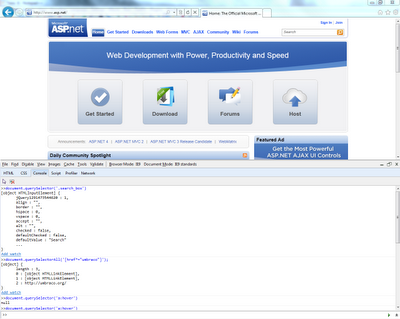
I experimented on the asp.net homepage using the
IE9 developer
tools.
Attribute selectors
Select all elements which have an attribute named title.
document.querySelectorAll('[title]');
[object] {
    length : 5,
    0 : http://www.asp.net/,
    1 : [object HTMLImageElement],
    2 : http://www.asp.net/get-started,
    3 : http://www.asp.net/downloads,
    4 : http://www.asp.net/rss/spotlight
}
Select all elements where the title attribute has the value set to Rss.
document.querySelectorAll('[title=Rss]');
[object] {
    length : 1,
    0 : http://www.asp.net/rss/spotlight
}
Select all elements where the href attribute is set to
http://umbraco.org/ and where the target attribute is set to
_blank.
document.querySelectorAll('[href="http://umbraco.org/"][target="_blank"]');
[object] {
    length : 1,
    0 : http://umbraco.org/
}
Select all elements where the href attribute contains umbraco.
document.querySelectorAll('[href*="umbraco"]');
[object] {
    length : 3,
    0 : [object HTMLLinkElement],
    1 : [object HTMLLinkElement],
    2 : http://umbraco.org/
}
Class selectors
Find the first element where the class is set to .search_box.
document.querySelector('.search_box')

[object HTMLInputElement] {
    jQuery1291484082884 : 1,
    align : "",
    border : "",
    hspace : 0,
    vspace : 0,
    accept : "",
    alt : "",
    checked : false,
    defaultChecked : false,
    defaultValue : "Search"
    ...
}
Id selectors
Find the first element with the id #WLSearchBoxInput.
document.querySelector('#WLSearchBoxInput')

[object HTMLInputElement] {
    jQuery1291484082884 : 1,
    align : "",
    border : "",
    hspace : 0,
    vspace : 0,
    accept : "",
    alt : "",
    checked : false,
    defaultChecked : false,
    defaultValue : "Search"
    ...
}
Pseudo classes
Select the first hyperlink that is being hovered over.
document.querySelector('a:hover')

http://umbraco.org/ {
    charset : "",
    coords : "",
    hash : "",
    host : "umbraco.org:80",
    hostname : "umbraco.org",
    href : "http://umbraco.org/",
    hreflang : "",
    name : "",
    pathname : "",
    port : "80"
    ...
}
Select the third child element from the first element with the class .welcom_nav.
document.querySelector('.welcome_nav:nth-child(3)')

    type : "",
    compact : false,
    currentStyle : [object MSCurrentStyleCSSProperties],
    runtimeStyle : [object MSStyleCSSProperties],
    accessKey : "",
    className : "welcome_nav",
    contentEditable : "inherit",
    dir : "",
    disabled : false,
    id : ""
    ...
}
As you can see searching for elements with native javascript has become a lot easier. I tried to show some examples which can be applied to real life scenarios. Examples based on more complex scenarios can be found in the W3C Selectors specifications.